How can I automatically assign new users when they're added to my account?
This workflow can be configured directly from the AI Workflows section. Follow the steps below to complete the setup and ensure the workflow runs as expected:
Open AI Workflows from the sidebar
Click on Start from scratch and create your workflow
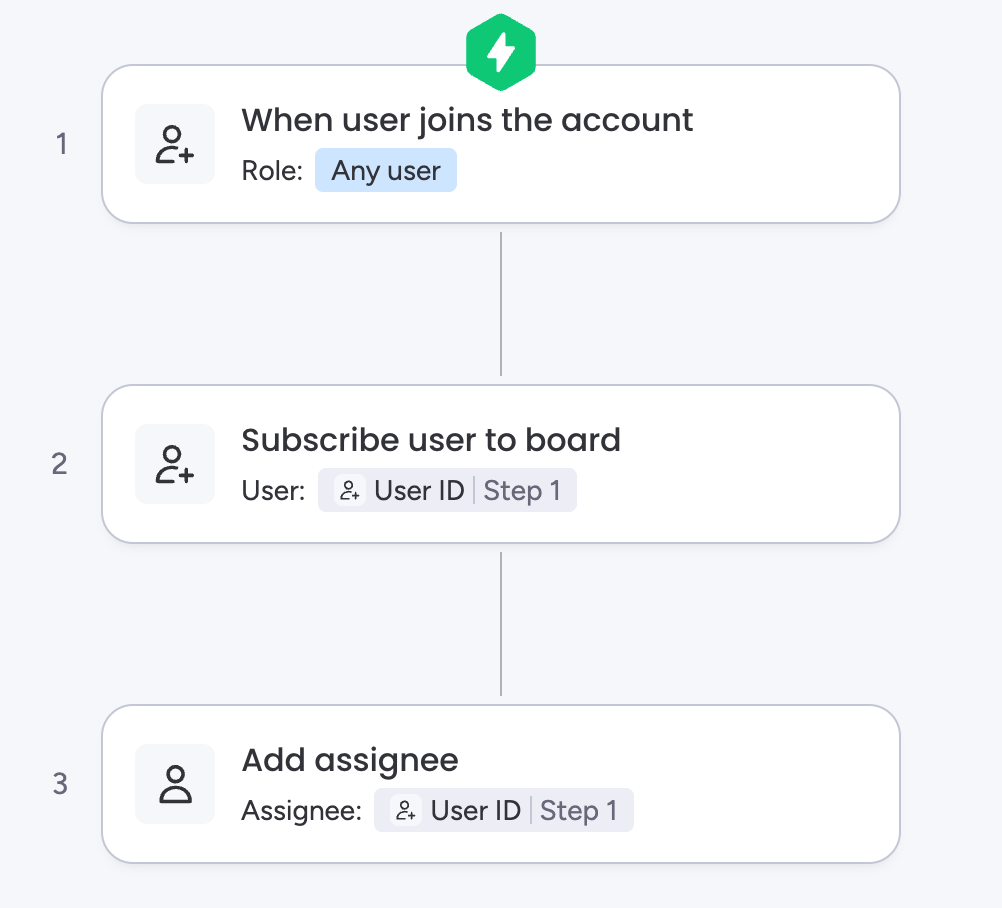
Choose the trigger "When user joins the account"
Select a user role
Add the action "Subscribe user to board"
Fill in the user and board details
Add the action "Add assignee"
Fill in the user, board, item and Assigned column details
Example:
You can refer to the previous step in order to add the new user who just joined the account.
The Add assignee action can only assign the user to one course. In order to assign the user to multiple courses at once, you can add similar actions or create other workflows.
The workflow will run successfully only when the user can be added to the board. This can only occur when the board type's viewing permissions and the user's role are compatible.