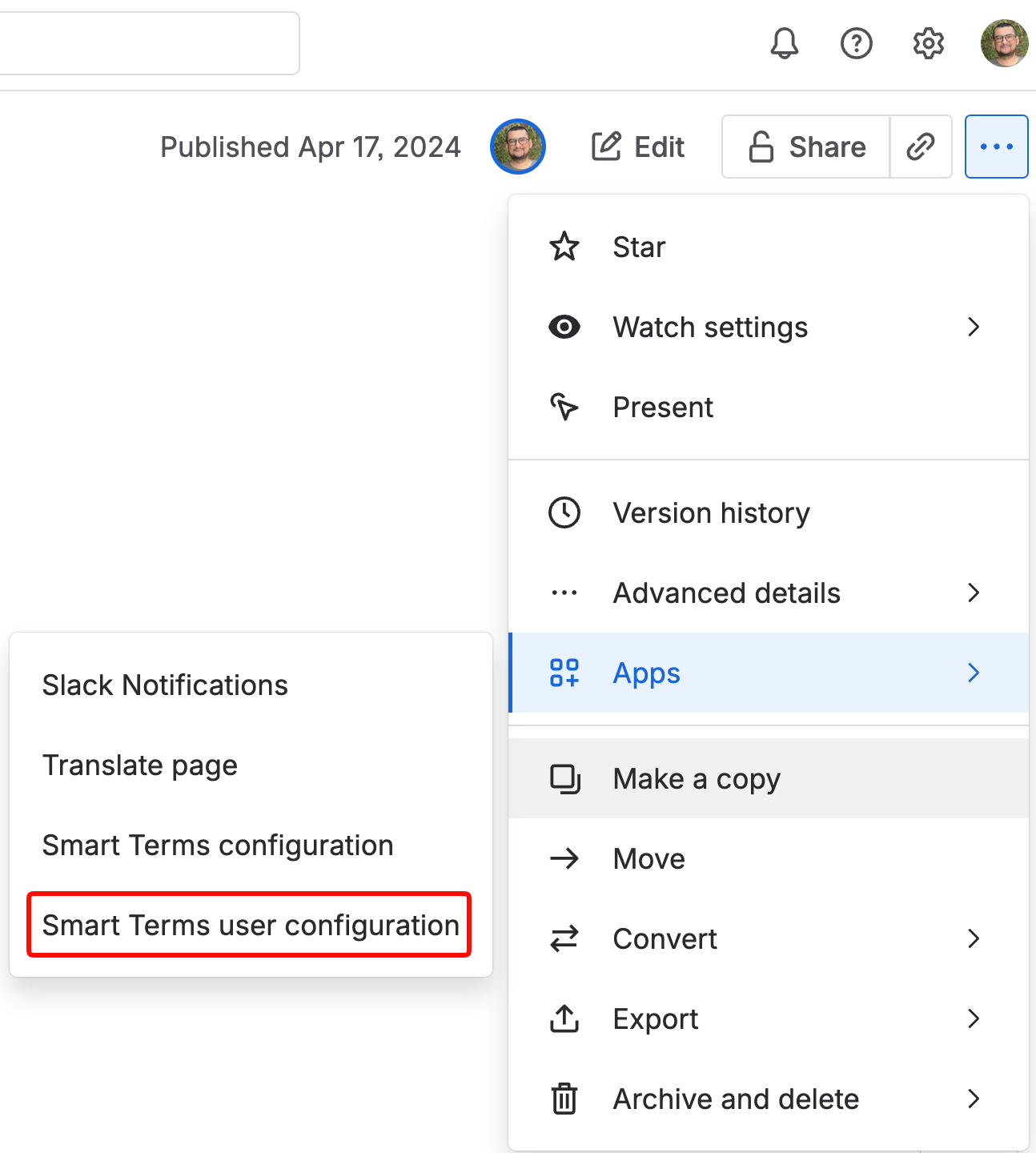
Users can customize the highlight options for their accounts by navigating to Apps in any Confluence page or blog settings, select Smart Terms user configuration:
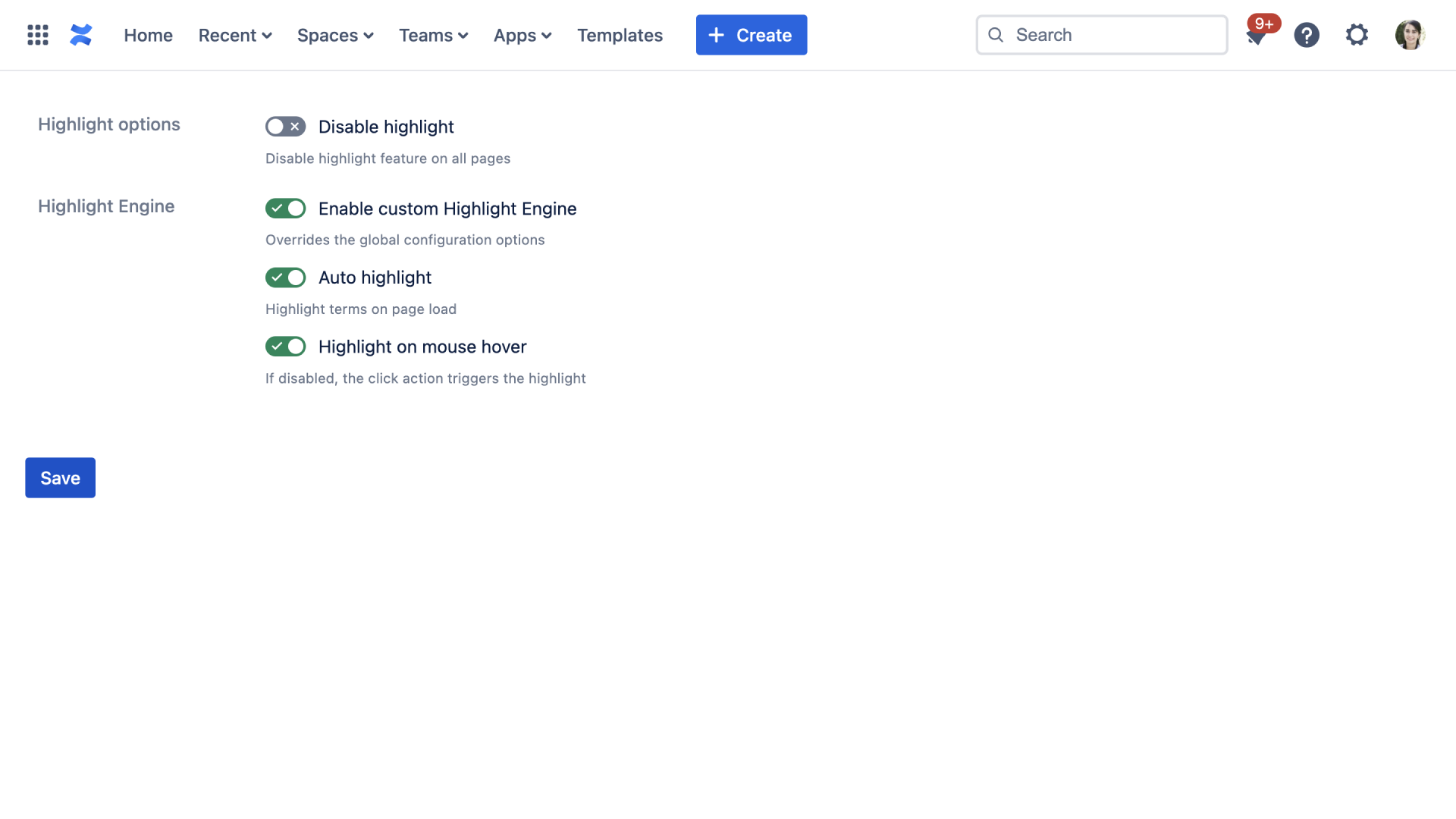
1. Highlight options: Disable the highlight features on all pages.
2. Highlight Engine:
When Enable custom Highlight Engine is selected, you can customize the highlight rules for the current user.
- Auto highlight: Select whether to automatically highlight terms on page load or not
- Highlight on mouse hover: If disabled, the click action triggers the highlight