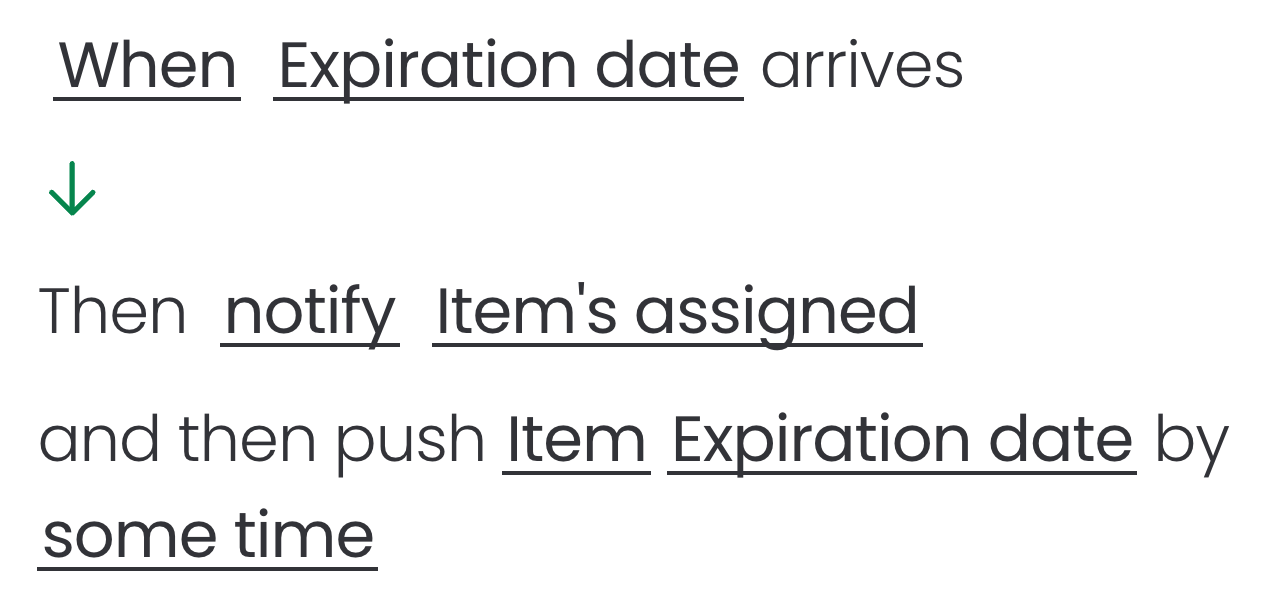
How can I automatically notify learners when the expiration date arrives?
This automation can be configured directly from the board's Automation section. Follow the steps below to complete the setup and ensure the automation runs as expected:
Open the board that contains your courses
Open the Automations dashboard and click on Create automation
Choose the trigger "When date arrives"
Click onWhento select when to notify users
Click ondateto select theExpiration datecolumn
Add the action "Notify someone"
Click onnotifyto customize the notification message with fields from your board
Click on someone, selectItem's assignedto notify all course assignees
Add the action "Push date"
Click ondateto select theExpiration datecolumn
Click on some time to set a new expiration date
Create the automation
Example:
If course creators are also getting notified and the date is pushed within another automation, the expiration date should be pushed only by one automation.